Threshold · Viktora
Ask for a beta invite

The deadline was in the thread the whole time.

Someone on your team made a promise three weeks ago — in a thread, a meeting, a chat you were barely part of. Nobody put it on a list. Someone had to ask. Threshold exists so that never happens again.

Ask for a beta invite
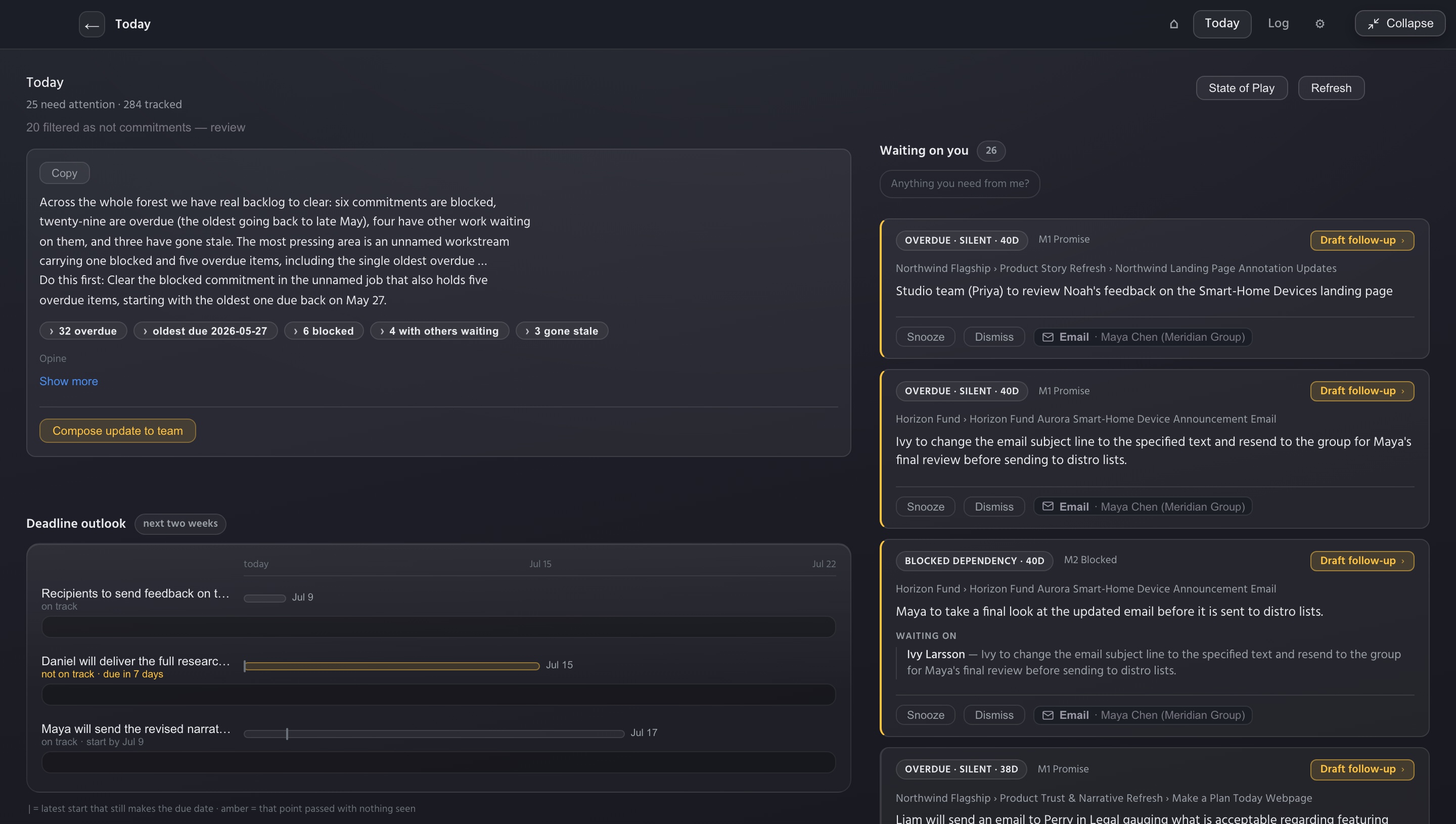
The Threshold Today view: a State of Play summary — six commitments blocked, twenty-nine overdue — above a two-week deadline outlook and a queue of items waiting on you.
The problem, plainly

You're accountable for work you don't personally do. The promises that sink you don't live in your task tracker — they live in side threads, forwarded decks, and meeting notes. For example, someone says, "I should have something by the 30th." Search can't find a date you don't know exists. A list can't hold a promise nobody wrote down. And every system that could is homework: somebody has to file, tag, and groom it, forever — which is exactly the job nobody was doing the day the deadline slipped.

What Threshold does

Threshold watches the work you give it and keeps the promises in front of you before they're due.

1

Forward an email — or a note, a screenshot, a recording. That's the whole workflow.

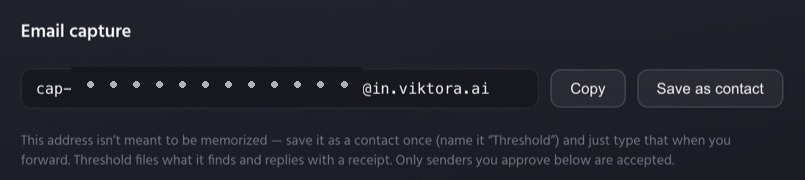
Every workspace gets a private capture address, and connects to the sources your work already lives in. Threshold files every commitment it finds — who promised what, by when, in their exact words — and replies with a receipt. Nothing invented; if it finds nothing, the receipt says so.

The private email capture address in Threshold settings — forward to it and get a receipt back.
2

A two-week windshield, not a rear-view mirror.

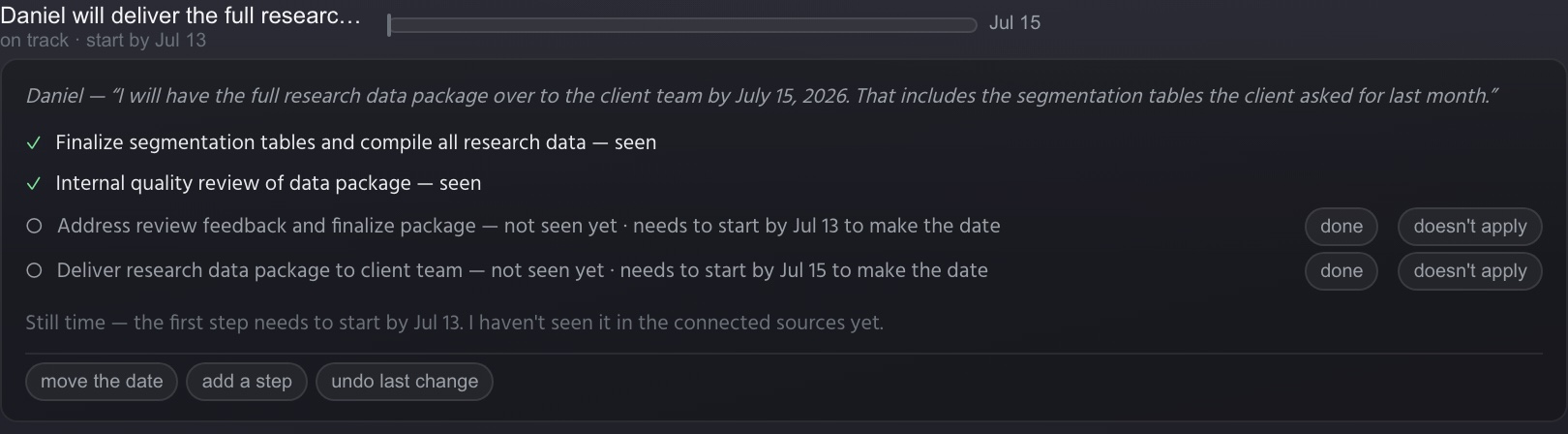
Today opens with every promise due in the next two weeks and who owns it. The bigger ones get a worked-back plan — the latest date each step can start and still make the deadline. Threshold watches your connected sources: when a step's work shows up, it's checked off — seen — and the plan recomputes. When a date passes with nothing seen, the item turns amber before it's late, not after.

A worked-back plan mid-flight — two steps seen and checked off in green, two pending with the latest date each can start, and the plan recomputed to on track.
3

You stay the editor.

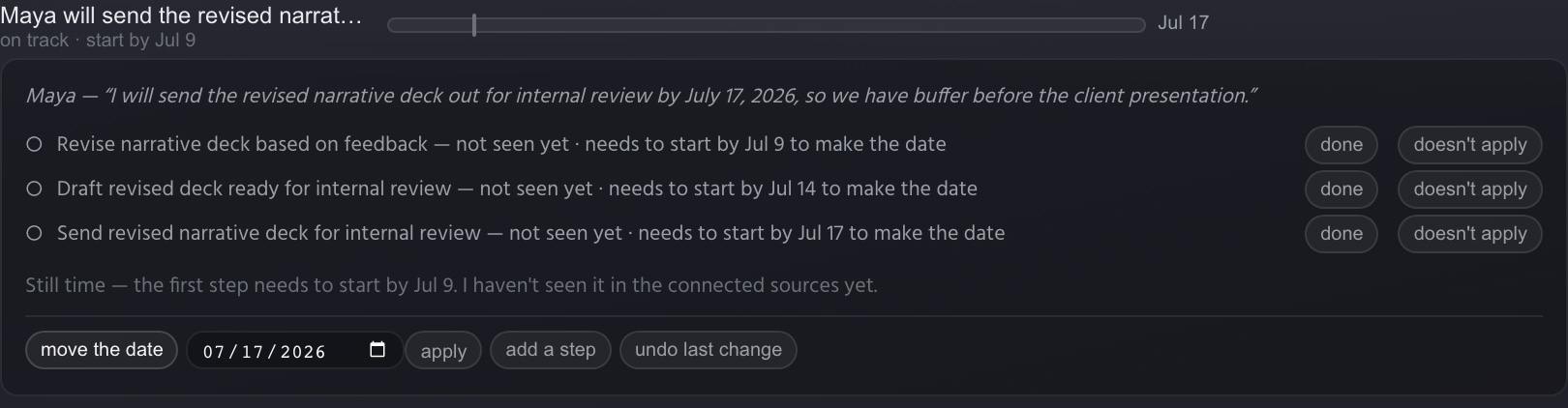
Every plan is correctable in place — mark a step done, rule it out, move the date, undo any of it. When Threshold isn't sure, it asks instead of guessing — and your answers teach it.

A worked-back plan with its editing controls — done and doesn't-apply on every step, the move-the-date editor open, add a step, and undo last change.
4

Put out the fire before it starts.

When something starts drifting, you see it early — while there's still time to reshuffle, pull someone in, or deliver part now and buy room for the rest. If a heads-up is the right call, one tap stages a short, no-blame note that waits in your outbox. Nothing sends itself.

A client-facing commitment due in two days with no draft observed — with a one-tap Draft heads-up to client staged, and Draft follow-up beside it.
No homework

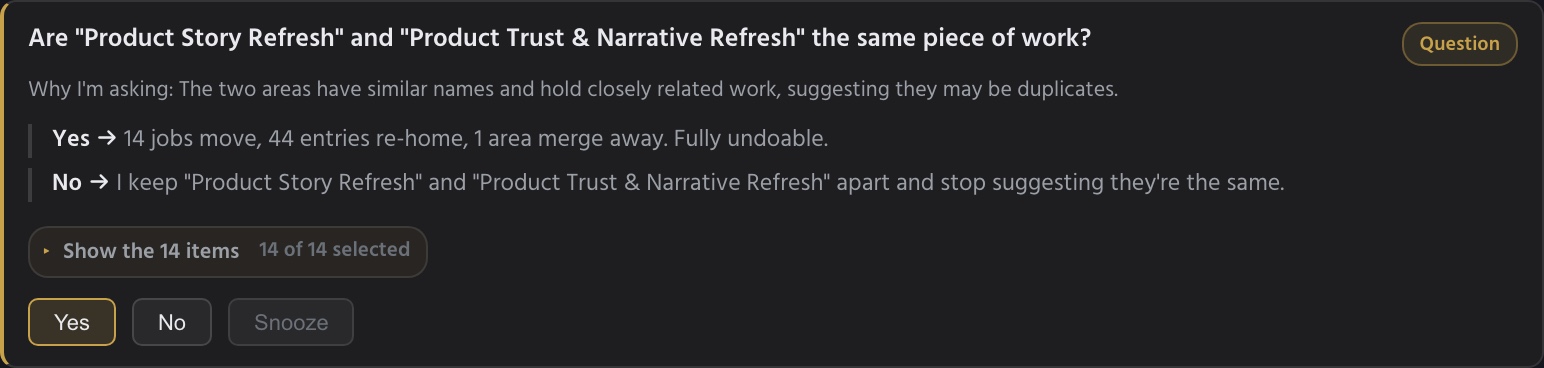
You've tried the boards, the Gantt charts, the color-coded lists with everyone's name tagged on them. You groom them for an hour and nobody looks again. Every one of them asks the same thing: that somebody keep it current, forever — the job that never gets done. Threshold doesn't ask. Forward what matters and it does the filing — the emails, the meeting notes, the running log of decisions and commitments — organized and kept current on its own. When it isn't sure, it asks you one small question instead of handing you a system to manage.

The one small question: Threshold asks whether two similarly-named areas are the same piece of work — with the consequences of each answer spelled out, fully undoable.
Trust, stated plainly

Threshold only sees what you forward or connect. Every claim it makes carries a receipt — the exact words, the source document, the date. When it can't see enough to judge, it says so instead of guessing.

Join the beta.

Threshold works for one person from day one — you don't need your team, your IT department, or anyone's permission to start. We're letting people in in small waves.

No password, no download to try. Prefer email? Ask for an invite by email.